List Users
The following steps are describe how to open new user list
step 1. - Open the application and logged in
step 2. - Dashboard will open
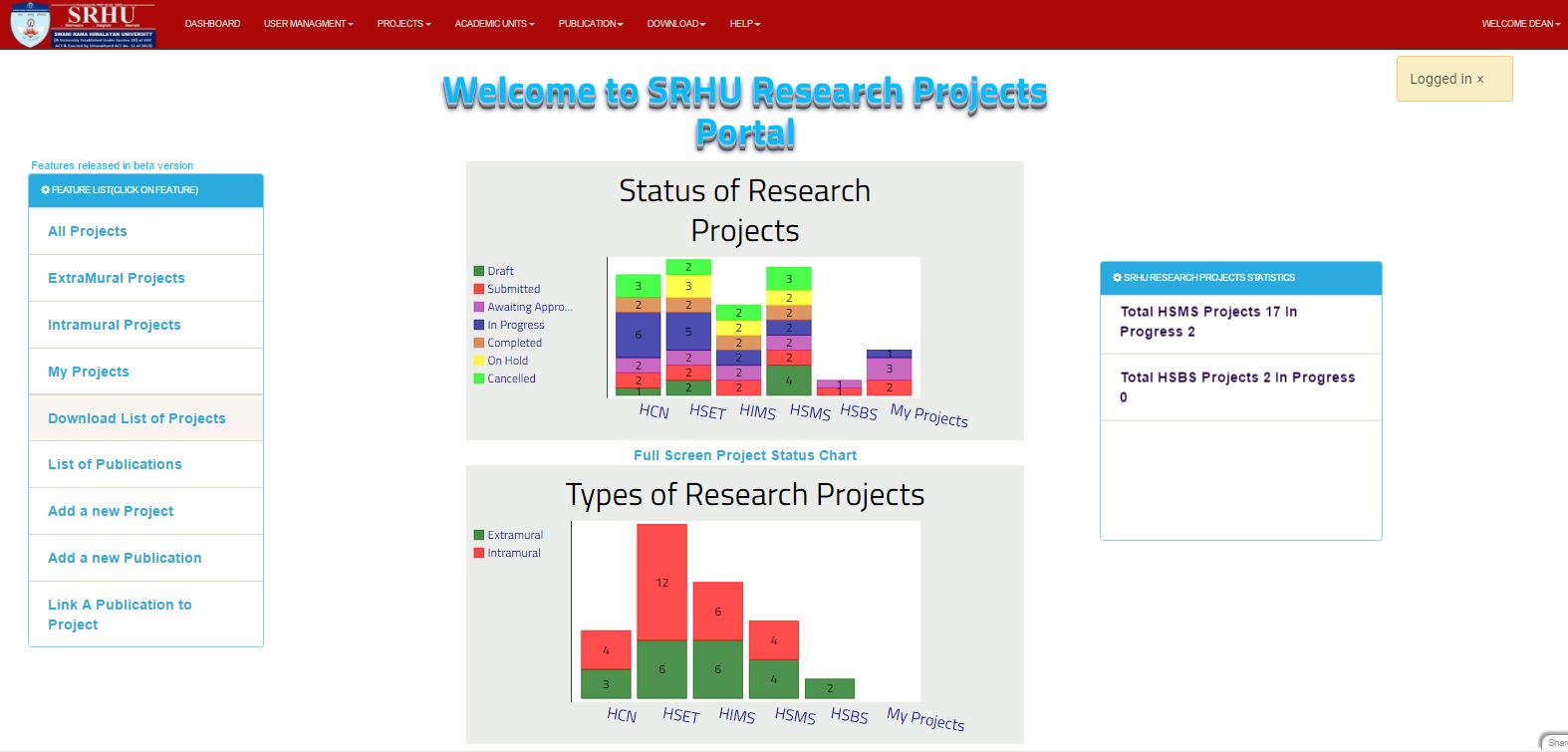
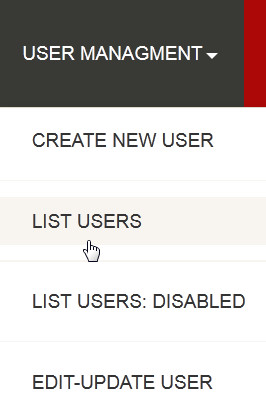
step 3. - Then click on the USER MANAGEMENT at the header of application, the drop down menu will open and you have to click on LIST USERS
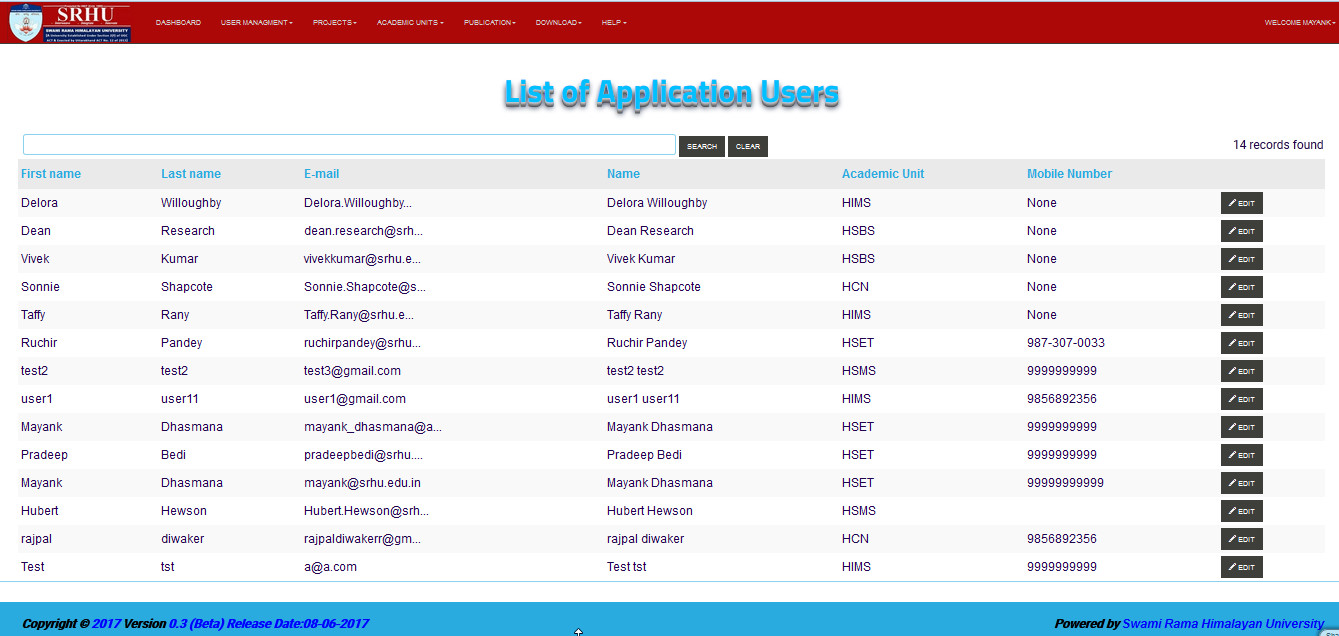
step 4. - So List of all new user will displayed
Note
you can directoly search a specific user by using search bar
